


 Payroll








Recruitment Payroll Software
Faster payroll for temp agencies
Recruitment Agency Payroll Without Re-Keying
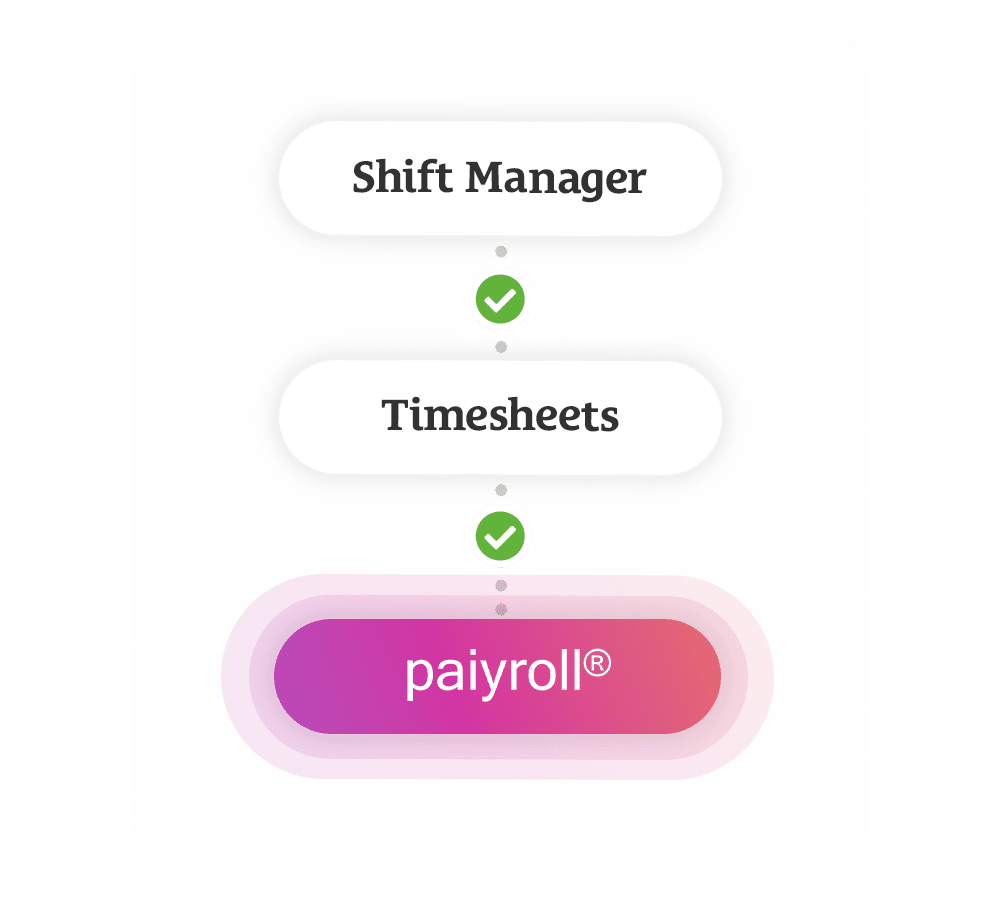
Rocket gives recruitment agencies a faster way to manage payroll by connecting approved timesheets, candidate data and payroll processing in one workflow with our recruitment payroll software. Through our integration with Paiyroll, approved hours can move straight from Rocket into payroll without re-keying, spreadsheet checks or manual data transfer, helping temp agencies reduce errors, save time and run payroll with far less pressure.
Mobile Rocket is one UK-built platform from ATS to payroll, and the same approved hours become draft client invoices in Xero, so pay and bill come from one record.
Onboarding to Payroll in One System
Paiyroll is built to simplify complex recruitment payroll, helping agencies process worker pay accurately while reducing the admin that usually sits between timesheets, approvals and pay runs. Rocket connects the front end of your recruitment process to payroll, so when a worker is onboarded, booked onto a shift and has their timesheet approved, the information needed for payroll is already in place and ready to move.
Candidates register, upload documents and sign what they need from their phone through e-Registration, and compliance is tracked in one clear view. Consultants then book shifts in Shift Manager. Each step adds to the same candidate record, so the details payroll needs are never typed in twice.

How Recruitment Payroll Works in Mobile Rocket
In Mobile Rocket, pay and billing start from the same approved timesheet. This is the route from a booked shift to a paid worker and an invoiced client.
- Book the shift. Consultants assign candidates to shifts with pay rates already set for each shift type, so candidates see the rate, role and shift on their phone.
- Capture the hours. Candidates clock in and out and log breaks on their smartphone, and geofencing confirms they clocked in at the right location.
- Get client sign-off. The client gets an automatic copy of each timesheet and signs it off online, with no paper to chase.
- Pay the worker. Approved hours move straight into Paiyroll without re-keying or spreadsheet checks. On another payroll system? Send a clean export instead.
- Bill the client. The Xero integration turns the same approved timesheets into accurate draft invoices automatically.
- Share the payslip. Candidates see their payslips and payment history in your branded app, which cuts payroll queries.
Each step adds to the same candidate record, so nothing is typed in twice between the shift and the pay run.

Payroll by Paiyroll
Rocket integrates directly with Paiyroll to turn approved timesheets into payroll-ready data without anyone touching the figures in between. That means fewer errors, less Friday afternoon panic and a smoother process for your back office team. Candidates also get visibility over payslips and payment history through your branded app, helping reduce payroll queries and giving workers a clearer view of what they have been paid.
Agencies that keep another payroll provider can send approved hours as a clean export instead, ready for review in a few clicks.

Pay Rates for Every Shift Type
In Shift Manager, pay rates are set up for each shift type, for any day of the week, am or pm, bank holidays and overtime, and then applied to any role. Each role is configured once and reused, so consultants can assign shifts instantly; see Rates, Roles and Shift Types for the detail. Assigned candidates see the rate, role and shift on their phone before they accept. Candidates log clock-in times and breaks by phone, while geofencing tracks overtime and helps spot costly payroll errors. Logged hours are then ready for review and export for payroll in a few clicks.

Draft Client Invoices in Xero from Approved Timesheets
Rocket’s Xero integration turns approved timesheets into accurate draft invoices automatically, removing the need for manual data entry between payroll, finance and client billing. Your finance team gets clean, reliable figures as soon as timesheets are signed off, helping speed up invoicing, improve cash flow and reduce the time spent chasing, checking and reconciling data across separate systems.
Because they arrive as drafts, the finance team can check each invoice before it goes to the client. Agencies on a different finance system can still turn approved hours into invoices and connect them to the system they already use.

Pay, Bill and Margin Reports
Pay and bill figures come from the same approved timesheets, so margin is clear without rebuilding spreadsheets. Reports are part of every Mobile Rocket plan.
| Report | What it shows |
|---|---|
| Weekly shift summary | Total charge, total margin and average shift duration for the week, filtered by agency, candidate, client or department. |
| Timesheet export | All timesheet data for the week or month in one report, ready to check before payroll. |
| Rocket AI reports | Ask Rocket AI for revenue by client, temps placed per consultant or a timesheet breakdown, and get a report, file or graph in seconds. |
| True margin per worker | The free margin calculator adds employer NI, holiday pay and pension to show the real margin. |
| Multi-branch reporting | The Enterprise plan adds multi-branch support and advanced reporting for agencies with several locations. |
Join 2,000+ Consultants Who Use Us Every Day







Recruitment Payroll Software FAQs
What is recruitment payroll software?
Recruitment payroll software pays temporary workers for the hours they have worked and bills clients for the same hours. Mobile Rocket connects shifts, timesheets and client approval to payroll, so approved hours move straight into Paiyroll without re-keying and become draft invoices in Xero. Candidates then see their payslips and payment history in the agency’s branded app.
Do agencies have to use Paiyroll?
No. Mobile Rocket prepares payroll-ready data from approved timesheets. Through the Paiyroll integration, approved hours move straight into payroll without re-keying or spreadsheet checks. Agencies that keep another payroll provider can send the same approved hours as a clean export instead, ready for review in a few clicks, so nobody types hours in twice.
What does pay and bill mean for a temp agency?
Pay and bill means paying temporary workers for the hours they work and invoicing the client for the same hours, with the agency’s margin between the two. In Mobile Rocket, one approved timesheet drives both: the hours go to Paiyroll for pay and to Xero as a draft client invoice, and the weekly shift summary shows the total charge and total margin.
Can Mobile Rocket handle payroll for high volumes of temps?
Yes. Mobile Rocket automates timesheet processing and payroll preparation, so an agency’s existing team can manage significantly higher placement volumes without adding admin. Candidates clock in on their phones, clients approve hours online and approved hours move straight into payroll. The Scale plan covers unlimited candidates, and Enterprise adds multi-branch support and advanced reporting.
How much does Mobile Rocket's recruitment payroll software cost?
Mobile Rocket is priced by plan. Starter covers 3 users and 200 candidates, Growth 4 to 10 users and 1,000 candidates, Scale 11 or more users with unlimited candidates, and Enterprise suits multi-branch agencies. There is usually a small one-off onboarding fee, then a monthly subscription with training, support and updates included. A free trial is available: see the pricing page.
How long does it take to get started with Mobile Rocket?
Most agencies are fully set up within 4 to 6 weeks, including branding the candidate app, configuring the platform and onboarding users. Mobile Rocket moves candidate records, client details, custom forms and historical data across, and training is included in the licence. Support comes from a UK-based team by phone, email and web at no extra cost.
Ready to simplify payroll?
Book a demo and see how Rocket moves your agency from approved timesheets to payroll and invoicing without the admin.Call us on +44 (0)1325 633 287 or email sales@mobilerocket.co.uk